How Foreign Founders Download China’s Digital Business License for a WFOE
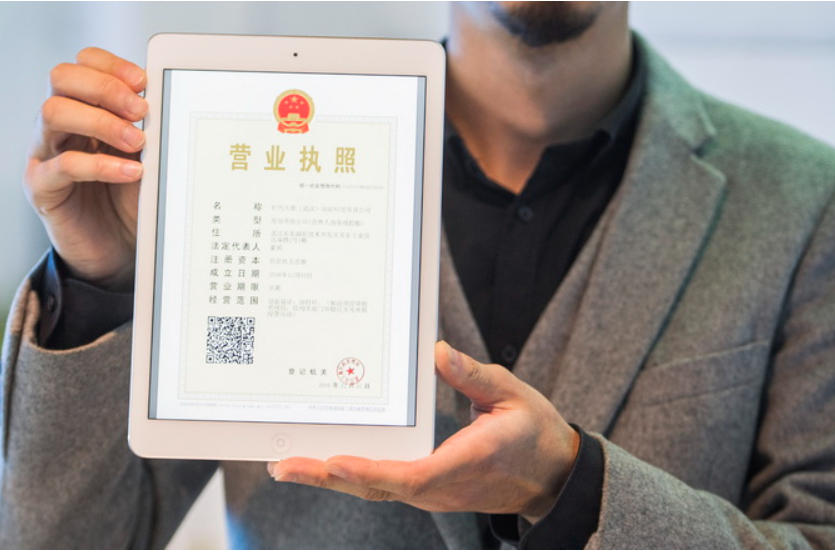
Foreign founders can download China’s digital electronic business license for their WFOE through the official WeChat or Alipay mini-program after identity verification. The digital version carries the same legal validity as the paper license nationwide. Foreign legal representatives typically need an in-person or email-assisted process at the local SAMR office because standard face recognition often fails for non-Chinese passports.
What the Digital Business License Actually Is
Issued by the State Administration for Market Regulation (SAMR) under national standards, the electronic business license contains the company name, unified social credit code, business scope, registered address, legal representative, and validity period. It updates automatically when registration details change and includes a dynamic QR code for real-time verification. Paper licenses remain available on request for overseas use, but most cities no longer issue them by default.
Standard Download Path (Works Best When the Legal Representative Has a Chinese ID)
- Open WeChat or Alipay and search for the official “Electronic Business License” (电子营业执照) mini-program. English interface support exists in many versions.
- Select download and complete identity verification with the national ID number.
- Pass the face scan.
- Select the company and download. Initial password is often 123456 and should be changed immediately.
- Optionally authorize staff with time-limited access.
The legal representative must perform the first download. Subsequent staff use requires explicit authorization inside the mini-program.
Process for Foreign Legal Representatives
Foreign (including Hong Kong, Macao, and Taiwan) legal representatives usually cannot complete the standard face-recognition step. Two practical routes exist:
- In-person at the registering SAMR office: The legal representative visits the local market supervision bureau, presents the passport used at registration, signs a confirmation form, and scans the on-site QR code with the mini-program to complete download.
- Email / authorized agent route: The legal representative signs a download confirmation letter and authorizes a local agent or staff member to submit it at the office. SAMR then emails a QR code or download link to the legal representative’s designated email. The legal representative scans the code remotely using the WeChat or Alipay mini-program and finishes verification with passport number and mobile phone.
Passport number, full name, and other details must match the SAMR records exactly. Any mismatch requires a registration update before download is possible. Once downloaded, the digital license works for banking KYC, tax filings, e-commerce platform onboarding, customs, work-permit applications, and most government services without carrying the physical document.
Practical Notes for WFOE Founders
- Confirm the legal representative’s passport details with your agent or SAMR records before attempting download.
- Store a PDF export securely for parent-company audits or overseas notarial use. Local notaries can notarize the digital copy when foreign authorities require it.
- Authorization logs exist inside the mini-program, so limit staff access and set expiry dates.
- For newly registered WFOEs the digital license is generated automatically upon approval; the download step is still required.
Frequently Asked Questions
Does the digital license replace the paper one completely?
Yes for almost all domestic processes. Keep a paper or notarized copy available for overseas banks, auditors, or jurisdictions that have not yet recognized the Chinese electronic format.
Can a foreign founder download it from outside China?
Yes via the email QR route once the local office has verified the confirmation letter. Direct face-recognition download usually requires presence in China or a Chinese ID.
How long does the process take?
Same-day if the legal representative is at the SAMR counter. Email route typically completes within a few working days depending on the local bureau.
What if the passport number changed after registration?
File a registration amendment first. Verification fails until SAMR records match the current passport.
The shift to digital licenses reduces document loss risk and courier costs for foreign-owned companies. Most routine filings, account openings, and platform registrations now accept the mobile version directly.